
New ParentVUE Mobile App
Get Started with the New ParentVUE App
The new ParentVUE app is available for download! The new app features a cleaner, easier-to-read design while still providing families with quick access to everything they need to stay connected with their student’s education. All AESD families are encouraged to download the new ParentVUE app. Next school year, all families using the ParentVUE mobile app will be required to download the new app. Get a head start by downloading the new app today!
Step 1: Download the App
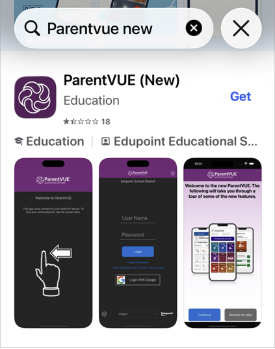
Current Users: When you open your old ParentVUE app, you will see a prompt to upgrade. Tap Download to begin.
New Users: Open the App Store (iPhone) or Google Play Store (Android) and search for "ParentVUE new."
Note: It is important to include the word "new" in your search to find the correct version.
Step 2: Locate AESD and Log In
Once the app is installed, open it and follow these steps to connect to our district and log in.
Swipe left on the introductory screen.
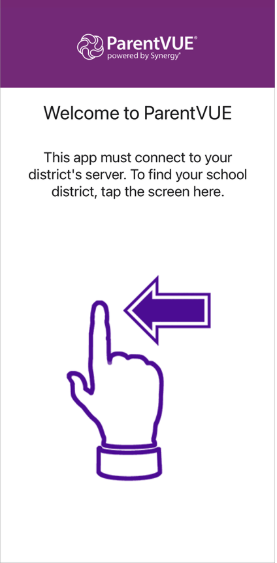
Enter your Zip Code to find our district (this is the easiest method).
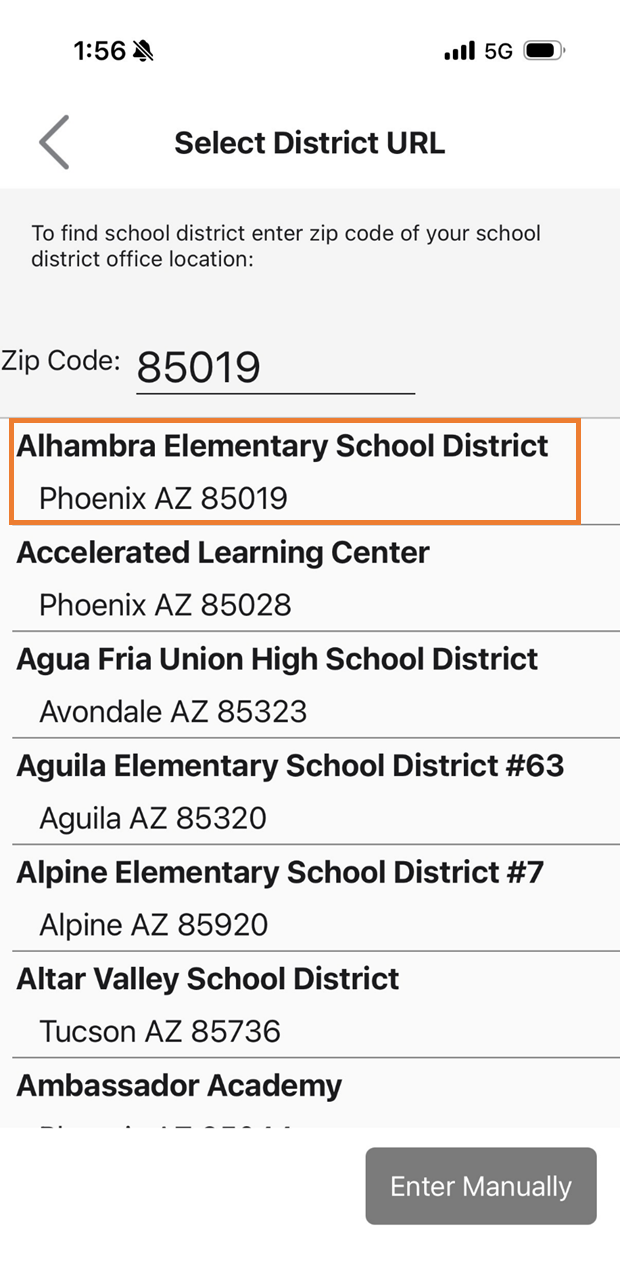
Select Alhambra Elementary School District
Tap Yes to confirm your selection.
Existing Accounts: Tap Already Activated. Use your current username and password to log in. You do not need to create a new account.
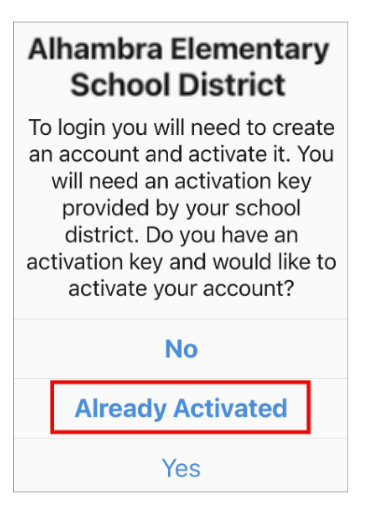
First-Time Users: If you have never used ParentVUE before, please contact your school’s support staff for an Activation Key.
If you prefer to enter the district information manually, use this URL: https://az-aesd.edupoint.com
Step 3: Explore the New Features
Once you log in, the app will offer a self-guided tour. We recommend taking a moment to walk through this tour to see the new improvements and features designed for our families.
PARENTVUE HELP
Need Help? If you have trouble logging in or need technical assistance, please contact your school’s ParentVUE support staff.